Any feed
RSS, Atom and JSON Feed. Paste a website and RSSBar finds its feeds.
RSSBar keeps fresh headlines one click away in your Mac's menu bar, opens a full reader when you want more room, and tells you when the topics you follow make news.
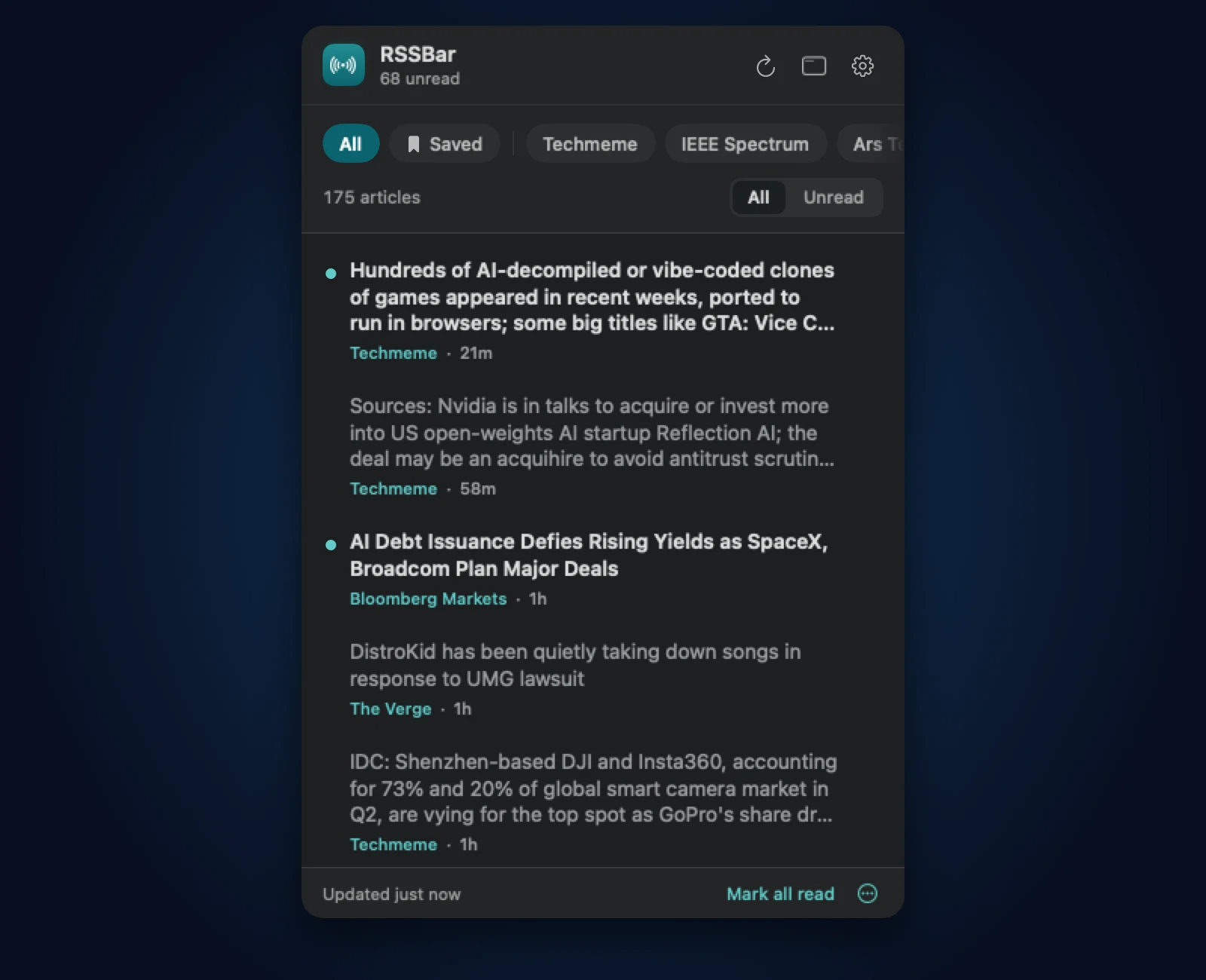
Click the icon for the latest stories from every source, newest first, with your unread count right in the menu bar. Filter by source, show only what you have not read, and open a story with one click.
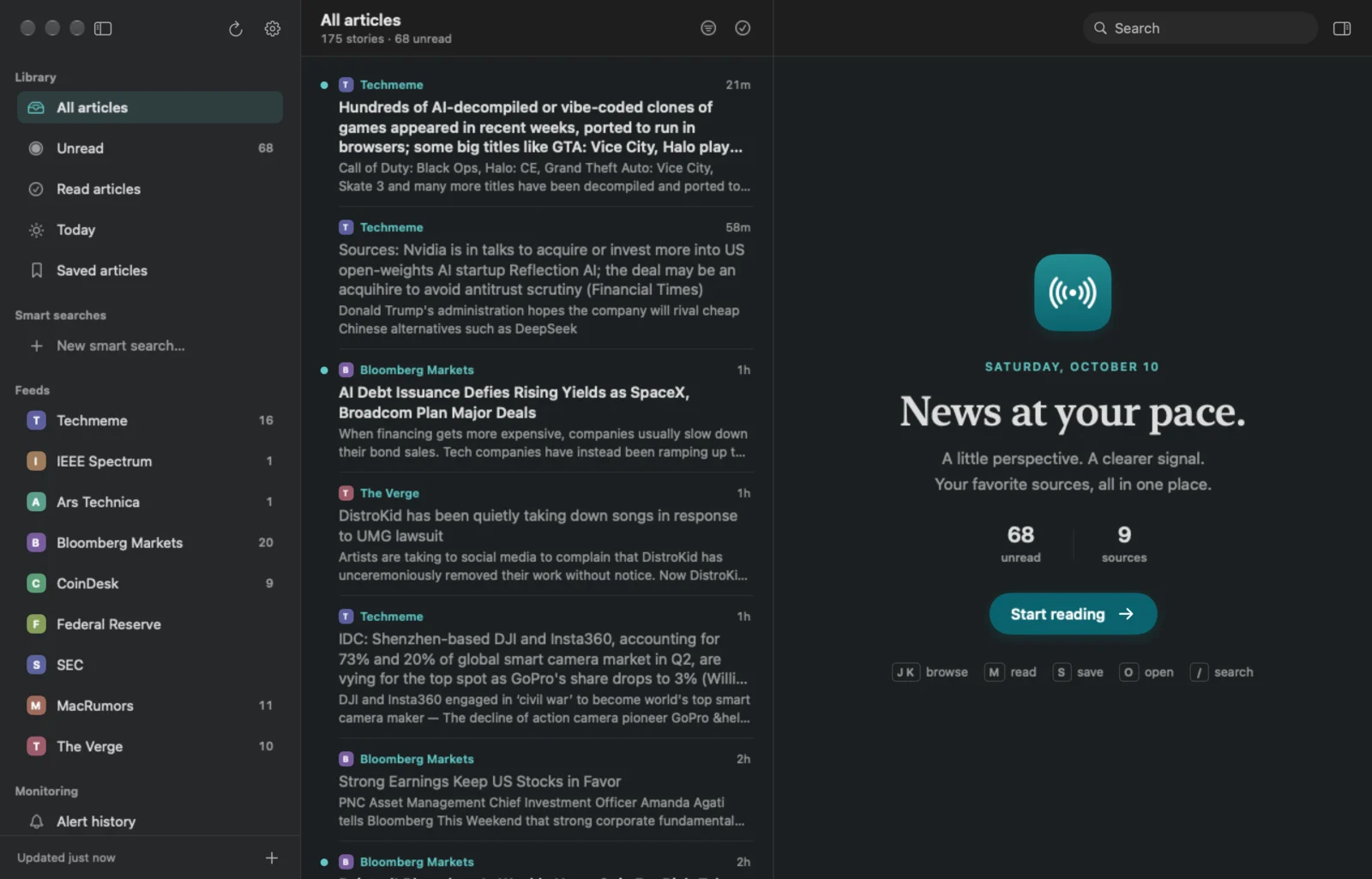
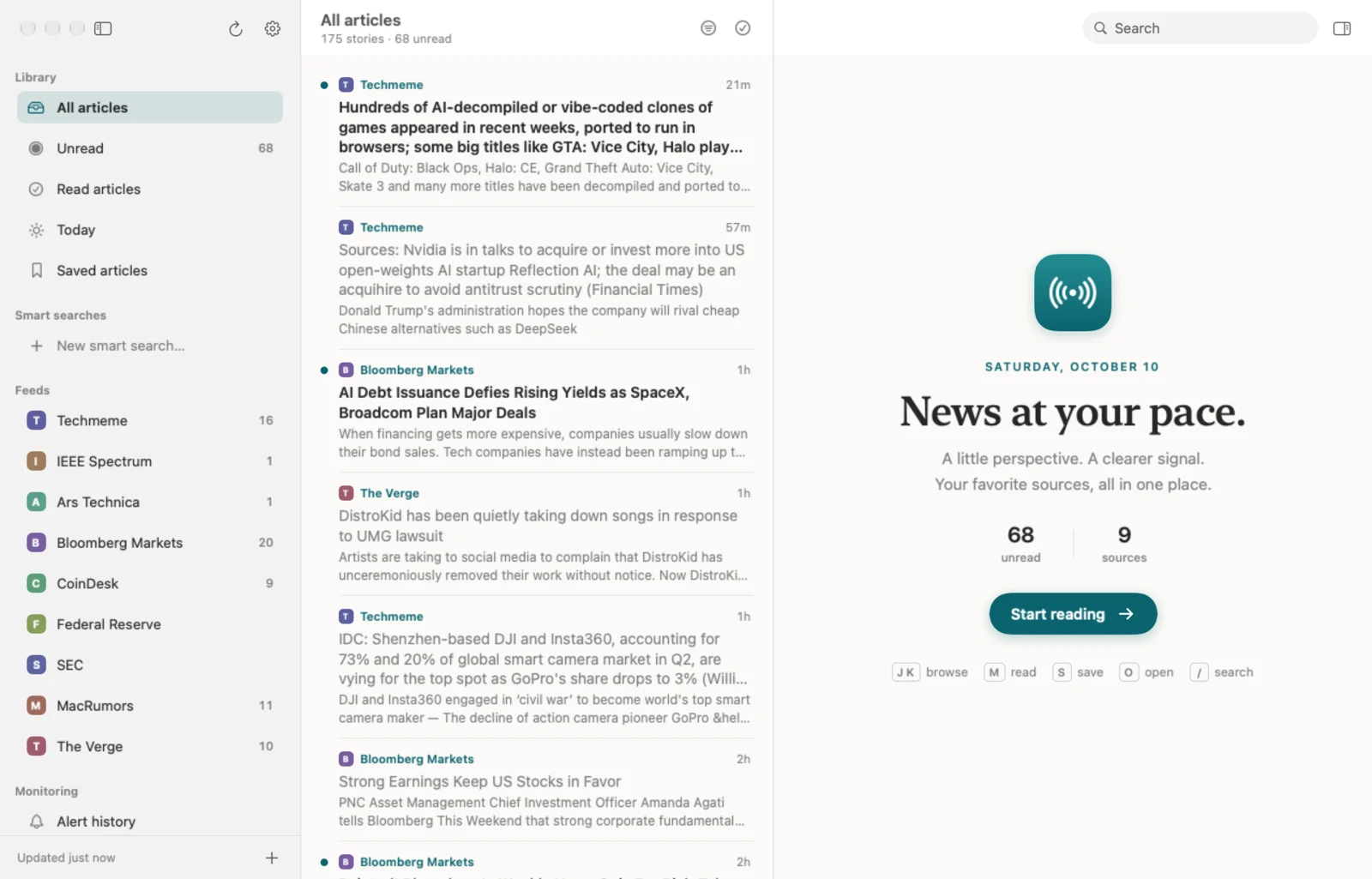
A proper Mac reader: feeds and folders in a sidebar, a searchable story list, and a clean reading pane with the font, size and width you like. Load the full article where the publisher allows it, or open the original website. Light and dark, and every action has a keyboard shortcut.
Describe a topic with the words to look for and the words to leave out. RSSBar shows matching stories as their own list, and can notify you when a new one arrives.
RSS, Atom and JSON Feed. Paste a website and RSSBar finds its feeds.
Import from another reader with OPML, and export whenever you like.
The same story from several sources shows once, with every source a click away.
Keep stories and download them to read offline.
Alerts as they happen, or gathered into a digest. Nothing overnight unless you want it.
A companion app, kept in step through your own iCloud account.
J and K to move, M to mark read, S to save, O to open. No mouse needed.
Every story keeps its publisher and a link to the original.
No account, no analytics, no ads. Your reading stays yours.
A news reader that lives in your Mac's menu bar. Click the icon for the latest headlines and your unread count; open the full reader when you want a sidebar, search and a proper reading pane. There is a companion app for iPhone and iPad.
RSS, Atom and JSON Feed. Paste a website address and RSSBar finds the feeds it advertises. You can import your subscriptions from another reader with an OPML file, and export them whenever you like.
RSSBar is free to download, with unlimited feeds. There are no ads and no account to create.
Yes. A smart search matches words and phrases you choose - a company, a product, a ticker - and can exclude the ones you do not want. Turn on alerts and RSSBar notifies you when a new story matches. Matching is keyword-based; it is not financial advice or a guarantee of catching every story.
Some publishers put only a headline or a short summary in their feed. Try Load full article, which works on many pages, or open the original website. Publisher paywalls and subscriptions still apply.
Optionally, through your own private iCloud account. Subscriptions, folders, saved articles, read status and smart searches stay in step across your devices. Nothing passes through a Rocky Ocean server.
Nothing. There are no analytics, no tracking and no account. Your feeds and reading history stay on your devices, and in your iCloud account only if you turn sync on.
Still stuck? Read the support page or email [email protected].
Free for Mac, iPhone and iPad. No account, no ads.